
Platform Trading Guide for South African Traders
📊 Explore platform trading in South Africa: tools, types, and tips to choose the right platform, navigate regulations, and stay ahead with local insights.
Edited By
Oliver Davies
Trading robots for Android are changing the way South African traders approach the stock market, forex, and crypto trading. These automated systems use algorithms to analyse market data and execute trades without constant manual input. For traders juggling tight schedules or looking to cut through market noise, these tools offer a way to stay active without being glued to a screen.
In South Africa, where access to fast and reliable internet can vary widely by region, Android-based trading robots have gained popularity thanks to their mobility and ease of use. Unlike desktop software requiring robust setups, mobile trading bots fit easily on most smartphones, allowing users to monitor and manage trades from their favourite coffee spot or while on a taxi ride.
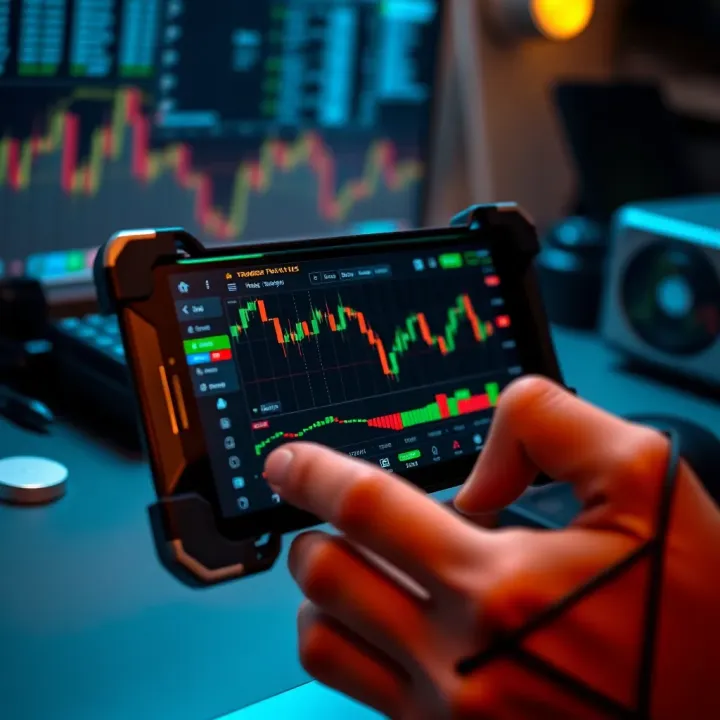
That said, trading robots aren’t a set-and-forget solution. Understanding their basic functionality—from signal generation to risk management protocols—is crucial before deploying them with real money. For instance, bots may use technical indicators like moving averages or RSI (Relative Strength Index) to identify entry and exit points.
Remember: No robot can guarantee profits, especially on volatile markets like forex or crypto. They can help reduce human error and execute trades faster, but hands-on monitoring and adjustments remain important.
South African traders should also consider how local factors affect robot performance. For example, Eskom loadshedding can disrupt internet connectivity, impacting trade execution. Choosing a robot that can handle intermittent connections or setting alerts to manage risks will help prevent losses.
Security is another factor. Popular trading robots for Android often link through established brokerage apps such as EasyEquities or GT247.com. Ensuring your login details remain confidential and enabling two-factor authentication reduces the risk of unauthorised access.
Finally, legal considerations play a role. South African financial regulators require brokers and traders to comply with rules under the Financial Sector Conduct Authority (FSCA). While automated trading is permitted, it’s wise to confirm that your chosen platform and robot follow regulatory standards to avoid fines or sanctions.
This guide will take you through the nuts and bolts of using trading robots for Android, helping you choose, set up, and manage these tools to improve your trading outcomes in Mzansi’s unique financial landscape.
Trading robots, especially on Android devices, have steadily become a part of everyday trading for many South African investors. Understanding how these tools operate is essential for making informed choices, minimising risks, and potentially improving returns. With widespread mobile usage in South Africa, Android trading robots offer accessibility and flexibility, allowing users to monitor and execute trades wherever they are.
At their core, trading robots are software programs that automatically execute buy and sell orders based on pre-set rules or strategies. Rather than waiting for manual input, these bots operate continuously, tracking market data and responding instantly to price movements. For instance, a forex robot can monitor currency pairs like ZAR/USD and execute trades at predetermined price points, providing a hands-off approach suitable for busy traders.
Algorithms are sets of instructions that analyse market data — such as price trends, volatility, and volume — to decide when and how to trade. These programmed strategies often consider technical indicators like moving averages or RSI (relative strength index) to identify trading opportunities. In practice, an algorithm will scan hundreds of market variables faster than a human could, potentially capturing brief windows of profit. However, no algorithm is foolproof; market conditions can change unexpectedly, which makes ongoing strategy evaluation important.
Android trading robots are packaged as apps that connect directly to trading platforms or brokers via APIs (application programming interfaces). This integration allows the robot to execute trades in real time on your behalf, while you track performance through a mobile interface. Given South Africans’ heavy use of Android devices, these apps offer a convenient way to stay in control without being tied to a desktop. Yet, it’s crucial to choose apps well-supported by local brokers and secure enough to protect your data.
Forex (foreign exchange) robots dominate the Android trading app market. Many South African traders are attracted to the forex market due to its liquidity and 24-hour availability. Robots designed for forex typically focus on popular pairs like ZAR/USD or EUR/USD, applying strategies such as scalping or trend following. For example, a trader might use a robot that automatically buys rands when certain technical signals are triggered, saving time and emotional strain.
These robots cater to equity traders, offering automation for shares listed on local exchanges like the JSE (Johannesburg Stock Exchange). Stock market bots can handle everything from executing limit orders to managing portfolio rebalancing based on set criteria. While less common than forex bots on Android, they’re gaining attention among South African investors who want quick execution and the discipline of rule-based trading.
Given the growing interest in cryptocurrencies locally, bots designed to trade assets like Bitcoin or Ethereum have become more prominent. These bots scan high-volatility crypto markets, taking fast action where human traders may hesitate. For instance, they might set automatic buy and sell orders on platforms such as Luno or ICE³X. Still, the extreme swings in crypto markets mean that these bots require careful monitoring and fine-tuning to avoid hefty losses.
Understanding these types and how they work on Android helps you match the right tool to your skills, trading style, and risk appetite, improving your chance to trade smarter in South Africa’s unique markets.
Picking the right trading robot for your Android device can make a world of difference to your trading outcomes. With so many options around, not all robots suit every trader, especially within South Africa’s unique market conditions. It’s not just about picking the flashiest app but finding one with the right features, solid performance, and compatibility with your broker.
A clean, straightforward interface is a must, particularly for traders who don’t fancy spending hours figuring out complex menus. Bots with intuitive controls and clear charts save time, especially when reacting swiftly to market movements. For example, some apps offer drag-and-drop strategy building, which is handy if you’re tweaking your approach on the fly.
Ease of use also means the robot doesn’t drain your phone’s battery or clog up storage space, which can be an issue on older or budget Android devices common in South Africa. You want smooth operation without constant crashes or lag.
Trading isn’t one-size-fits-all, so your robot should allow you to tailor strategies to your goals and risk appetite. Whether you want conservative setups for forex or aggressive riding of cryptocurrency swings, a robot that lets you adjust stop-loss levels, take-profit points, or even create your own algorithm will add serious value.
Customisable settings also support changes in market conditions. South African markets can be volatile due to local economic and political events, so a flexible bot will help you adapt, rather than stick to rigid settings that might lead to losses.

Robots that integrate smoothly with local brokers like EasyEquities, IG South Africa, or international brokers registered with the FSCA (Financial Sector Conduct Authority) ensure faster trade execution and fewer frustrations. Some global robot apps struggle because they don't support specific broker APIs used locally.
Make sure your trading robot can connect reliably with your broker's platform. This matters when market moves are fast and every second counts. If integration is weak, you may face delays, missed trades, or errors that could eat into profits.
Before trusting a robot with real money, check how it performed on past market data. Backtesting simulates trades based on historical prices, offering clues about the bot's strategy strength without risking capital.
Look for robots showing consistent profits over different market phases – not just a lucky streak during a bull run. Some providers share detailed backtests with drawdown statistics and trade frequency, which reveal how the bot handles risk and volatility.
Good robots let you track trades as they happen. Real-time feedback helps spot if the bot veers off course or if market conditions demand a manual intervention. Some apps offer notifications or dashboards with live stats like win/loss ratio and equity growth.
South African traders, especially those juggling loadshedding disruptions, benefit from bots that don't rely heavily on constant internet connection. Offline modes or smart retry systems are practical features to look for.
No number-crunching replaces honest user experiences. Scan reviews on Play Store or trading forums like MyBroadband to get a sense of reliability, customer support, and unexpected app quirks.
Communities around specific robot apps often share tips, strategy tweaks, and issues unique to the South African trading environment. Engaging with these groups can arm you with insider advice and save you hassle.
Choosing a trading robot isn’t just about flashy features — it’s about fit, function, and trust. Taking the time to vet robots through their features, track records, and feedback can avoid costly mistakes down the line.
By focusing on these criteria, South African traders can find Android trading robots that not only meet technical needs but also work well under local market conditions and brokerage demands.
Automated trading on Android comes with convenience but also raises genuine concerns around security and risk. South African traders need to understand how their data is protected and how to manage financial risks when using these tools. A solid approach to security and risk minimises chances of loss due to hacking, misuse, or market swings.
Protecting personal and financial information is critical. Trading apps often require access to sensitive data such as bank details, passwords, and trading history. If this information falls into the wrong hands, it can lead to financial loss or identity theft. That’s why most reputable apps use encryption technology to keep data safe during transmission and storage. For example, apps connecting to South African brokers like IG Markets or EasyEquities usually highlight their thanks to SSL certificates and regular security audits.
App permissions and risks also demand attention. Many Android trading robots ask for permissions that might seem excessive, like access to contacts or location. While some are necessary for app functionality, others could undermine privacy. Always scrutinise permissions before installation and uninstall apps that request suspicious access. Keeping your Android operating system updated helps, as Google regularly patches security loopholes.
Best practices for safe usage include downloading robot apps only from trusted sources like the Google Play Store or official broker sites. South African traders should avoid third-party sites offering cracked or modified apps as these might contain malware. Using strong, unique passwords and activating two-factor authentication where possible adds a protective layer. Finally, regularly reviewing transaction histories helps spot any unusual activity early.
Setting limits and stop-loss options is one way to control risk when automated systems execute trades on your behalf. Most trading robots allow you to preset stop-loss levels which automatically close a trade if losses reach a certain point. For instance, if you set a stop-loss at 5% loss on a Forex trade, the robot exits that position before losses deepen. This prevents runaway losses during sudden market moves common in volatile times.
Understanding market volatility impacts is vital. Automated bots work well under steady market conditions but can struggle when prices swing wildly due to global events or local economic shocks. South African traders familiar with the effects of Eskom loadshedding or political surprises know how fast markets can tumble. Traders should adjust robot settings or pause automated trades during such turbulent periods to safeguard capital.
Overreliance on automation can lead to unexpected pitfalls—automation is a tool, not a set-and-forget solution.
Recognising potential pitfalls of overreliance means remembering that no robot can predict the future perfectly. Market conditions change, algorithms age and might not adapt quickly enough. If traders blindly trust robots without manual oversight, they risk missing warning signs or strategy failures. Regularly monitoring robot behaviour and being ready to step in if things look off is the best way to avoid costly surprises.
In the South African context, combining a careful eye on security with smart risk management creates a safer path for using Android trading robots effectively.
Understanding the legal and regulatory framework is key to trading with robots on Android without running into trouble. South African traders must navigate local laws to ensure their activities are above board, trustworthy, and compliant with the rules set by financial authorities. Ignoring this can expose you to risks like fines, blocked accounts, or even scams.
The FSCA is South Africa's watchdog for financial services, tasked with protecting consumers and maintaining market integrity. For traders using Android-based robots, this means ensuring that their chosen brokers and platforms are regulated under the FSCA's supervision. This regulator sets standards on how brokers handle client funds, report transactions, and conduct themselves ethically.
For instance, if you use an FSCA-registered broker, you benefit from certain protections, like dispute resolution channels and oversight on fair trading. This presents a practical advantage compared to unregulated platforms that might disappear overnight with your money.
Before linking your trading robot to any broker, check if the broker has the proper FSCA licence. A registered broker must comply with capital adequacy rules, client asset segregation, and reporting requirements, reducing the risk of misuse of funds. Many South African traders fall into traps by connecting to offshore or unlicensed brokers promising quick profits but lacking accountability.
Pragmatically, you can verify such registration on the FSCA's publicly available register. Doing so safeguards your investments and aligns your activity with South Africa's legal framework.
When you trade — automated or not — South African Revenue Service (SARS) expects you to report gains or losses for tax purposes. Automated trading does not exempt you from tax compliance. Therefore, maintaining accurate records of trades executed by your Android robot is crucial.
You should treat profits from robot trades as taxable income, potentially subject to capital gains tax or income tax depending on your trading frequency and nature. Consulting with a tax professional familiar with financial instruments can prevent nasty surprises down the line.
The rise of Android trading robots has attracted dubious developers peddling fake or malicious apps. These can range from robot tools that steal login details to platforms that show fake account balances to lure you into depositing money repeatedly.
Red flags include apps with poor reviews mentioning withdrawal problems, lack of clear owner details, or skipping FSCA compliance claims. For example, an app promising guaranteed R20,000 weekly returns with zero risk is begging for suspicion.
If you suspect a scam app or suspicious behaviour, report it immediately to the FSCA’s complaints department or the South African Police Service's cybercrime unit. The quicker one acts, the more chance of limiting damage and helping authorities track offenders.
Informing your broker and blocking transactions via your bank can also help protect your funds. Sharing your experience with local trading communities might save others from falling prey.
Protection starts with vigilance and choosing well-known trading robots and brokers. Avoid sharing your account details or passwords with third parties and always use strong, unique passwords. Enable two-factor authentication where available.
Look out for excessive promises and pressure tactics on apps or marketing. Also, keep software updated to prevent security exploits.
Trade smart: trust only licensed brokers, keep records for SARS, and steer clear of shady apps. These steps help keep your automated trading journey safe and compliant with South African laws.
By understanding these legal and regulatory aspects, you will avoid common pitfalls and build more confidence in using trading robots on Android right here in South Africa.
Using a trading robot on your Android device can really make trading smoother, but it starts with setting things up correctly. This section breaks down the steps to get you going and to keep your system sharp over time. For South African traders, these practical tips help avoid common pitfalls like linking with the wrong broker or missing key settings that affect your trades.
Start by downloading your trading robot from reliable sources. Many South African traders prefer the Google Play Store because apps there face a vetting process, which reduces the risk of downloading malware or scam software. Avoid third-party sites that offer free versions of well-known robots—it’s often a trap. Always check the developer's reputation, read user comments, and look out for South African-specific reviews to verify trustworthiness.
Once installed, your next step is to link the robot to your trading account. This connection should be secure and properly authorised—you don’t want your login details floating about. Most robots connect through an API key or secure credentials. For South African users, ensure that your broker is registered with the Financial Sector Conduct Authority (FSCA) to stay compliant. Double-check account permissions so the robot can execute trades without exposing your account to undue risk.
No one robot fits all. Customising your settings is crucial. Adjust parameters like trade size, stop loss limits, and currency pairs based on your risk appetite and market understanding. For example, a conservative trader might set tight stop losses during volatile times, while an aggressive trader may allow larger swings. The robot should allow changes without too much technical fiddling—look for apps that offer a simple interface with clear options.
Keep a close eye on how the robot performs. Most Android robots come with dashboards displaying trade history, wins, losses, and overall profitability. For instance, tracking daily or weekly outcomes helps identify patterns—maybe the robot struggles with certain Forex pairs or market conditions common during South African daytime trading hours. This info lets you make informed tweaks rather than blindly trusting the system.
Markets change and so should your robot’s tactics. Regularly updating your trading strategies can improve long-term results. Perhaps your robot was initially set up for swing trading but the current market signals favour shorter intraday trades. Being flexible means modifying your strategy through the app’s settings, adding new indicators, or changing trade thresholds.
Even the best robots can’t handle every curveball. Recognising when to take manual control is key. If your robot starts placing multiple losing trades in a row, or if South Africa enters a volatile period (consider sudden changes brought by global news or Eskom loadshedding disruptions), it might be wise to pause the bot. Manual intervention ensures you don’t suffer unnecessary losses and keeps you in the driver’s seat.
Successful use of an Android trading robot balances automation with regular hands-on monitoring and adjustments. It’s not a set-and-forget tool but one that grows smarter with your attention.
These practical steps let you make the most from your trading robot, increasing your chance to trade smarter and safer in South Africa’s fast-paced markets.
📊 Explore platform trading in South Africa: tools, types, and tips to choose the right platform, navigate regulations, and stay ahead with local insights.
📊 Discover how binary trading platforms work, key features to watch, and practical tips for South African traders to navigate risks and regulations confidently. 🇿🇦
📈 Explore IQ Option trading with practical tips for South African traders! Understand forex, stocks, crypto, payment methods, regulation, and risk management.
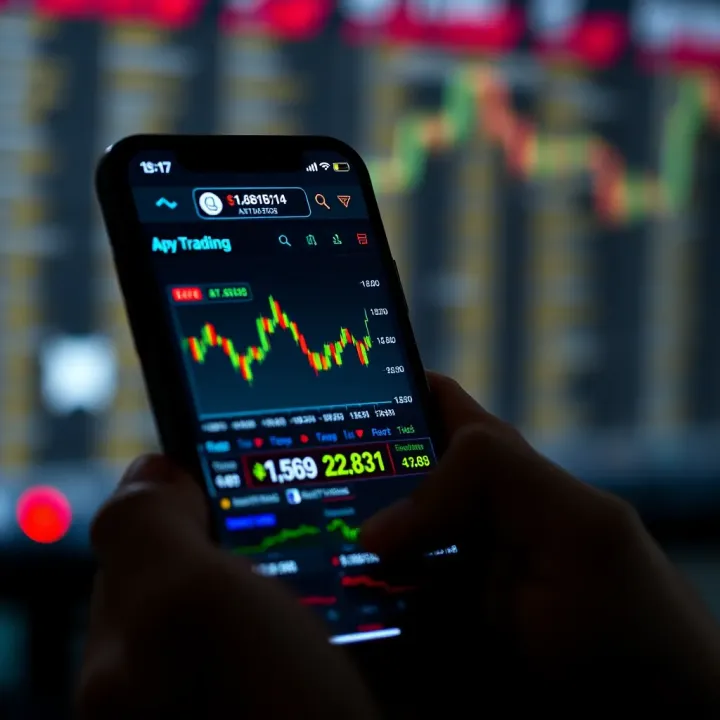
📱 Understand mobile trading apps in South Africa: features, broker links, risks, and tips to pick the right platform. Trade smart, anytime, anywhere with confidence. 💸
Based on 15 reviews